Good afternoon! 
Please tell me, when I connect the programmer, in VS Code “devices” — should it show up there somehow?
At the very least, show its name and which COM port it got plugged into?
Windows detected it as a new device, like it set something up. And that’s it.
🇷🇺 Оригинал
Доброго дня!
Скажите плиз, при подключении програматора , в “девайсах” ВСкода - он же должен както определиться?
Как минимум - показать своё название , в какой ком-порт он присунулся ?
Винда определила его как новый девайс, типо чето настроила. и на этом всё.
I can’t see it in VS Code either) but it flashes fine)
🇷🇺 Оригинал
у меня в вс коде его не видно) но шьется нормально)
I don’t specify anything anywhere either, it flashes perfectly
🇷🇺 Оригинал
Я тоже нигде ничего не указываю, шьётся прекрасно
Funny system )),
like, the USB number doesn’t really matter to it? .. Arduino throws a fit and wants it specified in *.ini
🇷🇺 Оригинал
прикол система )),
типо ей не критично номер УСБ ? .. ардуина дык залупается, требует прописку в *.ini
You don’t need to specify anything. Sometimes there are driver issues, check Windows Device Manager
🇷🇺 Оригинал
ни чего не надо указывать. Иногда бывают проблемы с дровами, смотри диспетчер устройств винды
OK, I’ll try connecting it and running the flashing commands
The light is on, so it’s alive..
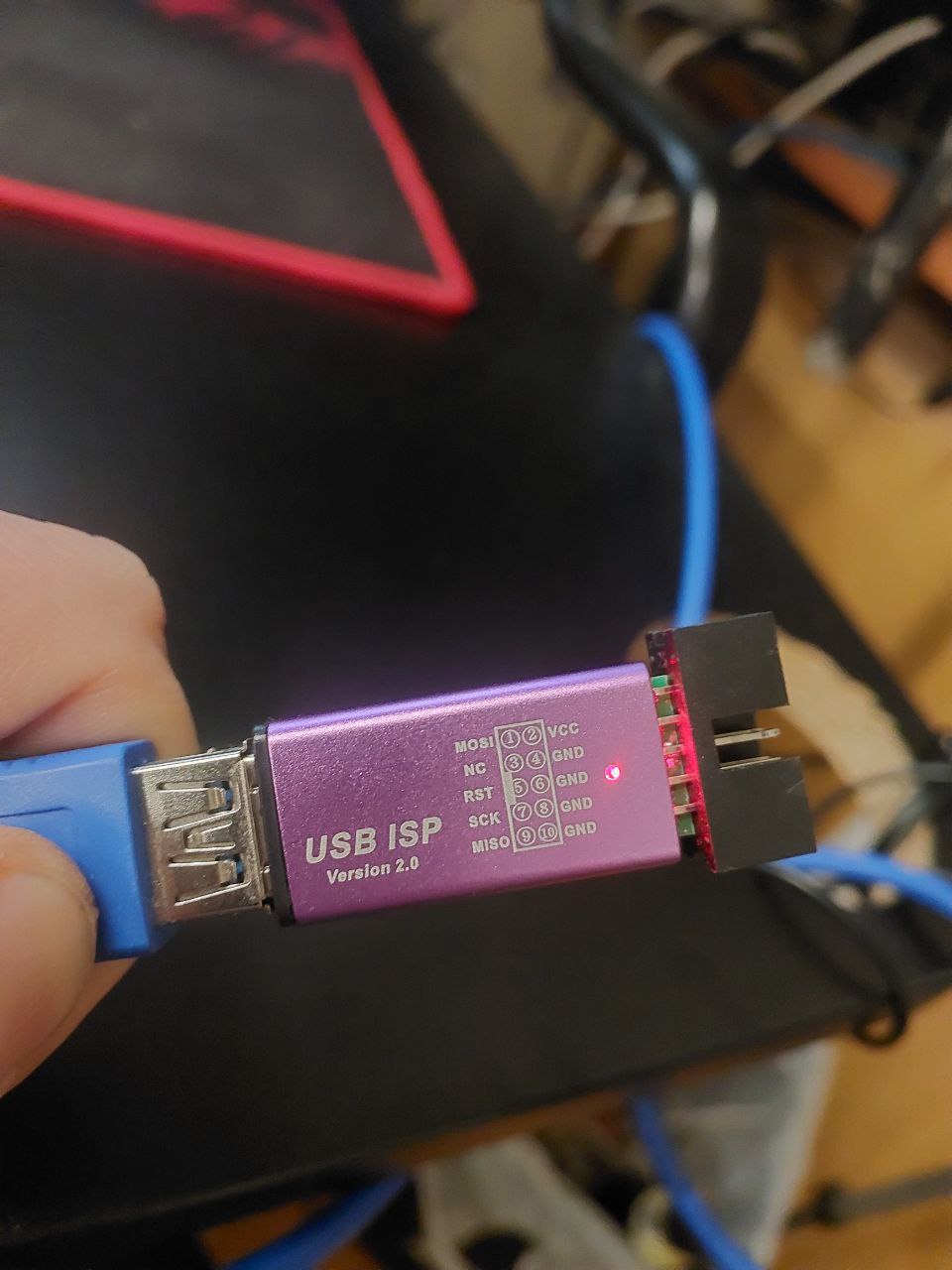
🇷🇺 Оригинал
Ок, попробую подключить и пустить команды прошивки🧑🏻💻
Лампа горит, так то живой..