So, I installed the driver, entered the first two commands from the site and everything was fine, but on the third one it says something like there’s not enough memory 
First I entered " pio run -e fuses -t fuses" — everything went great
Then I entered “pio run -e EEPPB -t uploadeep” — also all good
But on “pio run -e EEPPB -t upload” it said there isn’t enough memory
🇷🇺 Оригинал
Так, драйвер установил, ввел первые две команды сайта и все ок, а на третьей пишет типа памяти нехватае🤔
Сначала ввёл " pio run -e fuses -t fuses"- все отлично
Потом ввел “pio run -e EEPPB -t uploadeep” тоже все ок
А на “pio run -e EEPPB -t upload” выдал что памяти не хватает🤔
🤷♀ where do I check that?
🇷🇺 Оригинал
🤷♀а где это посмотреть?
Right on the MCU itself. Take a macro photo.
🇷🇺 Оригинал
Так на самом мк. Фотку сделай в макро
Is it from an Arduino kit? If yes, then run the commands for the regular one (EEP).
🇷🇺 Оригинал
Из кита Ардуино? Если да, то выполни команды для обычной (EEP)
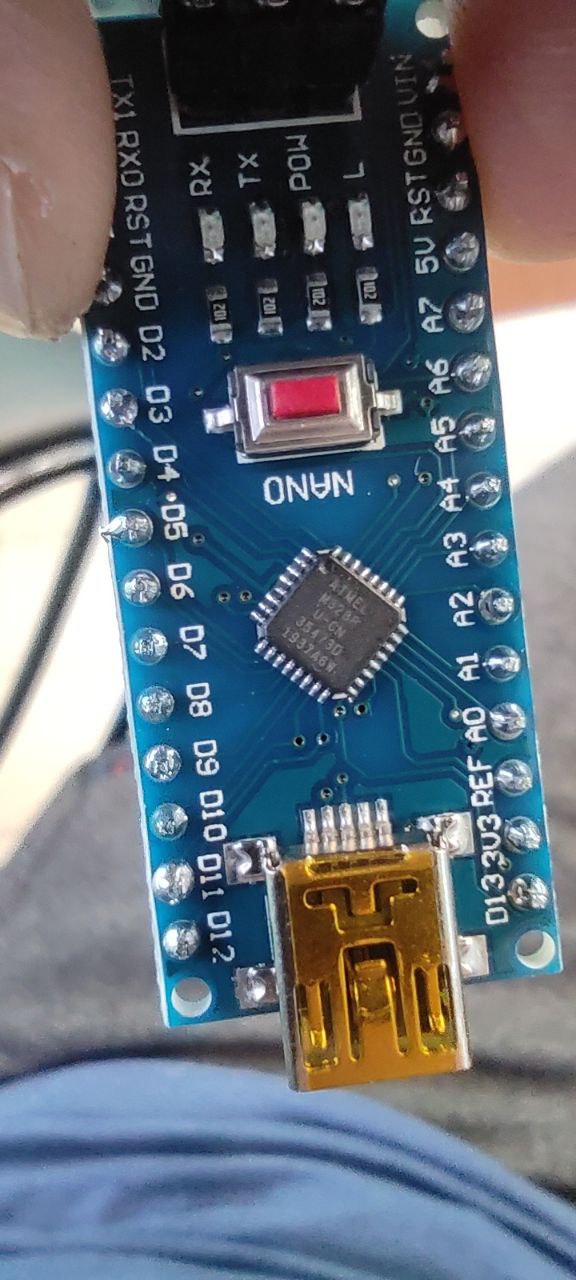
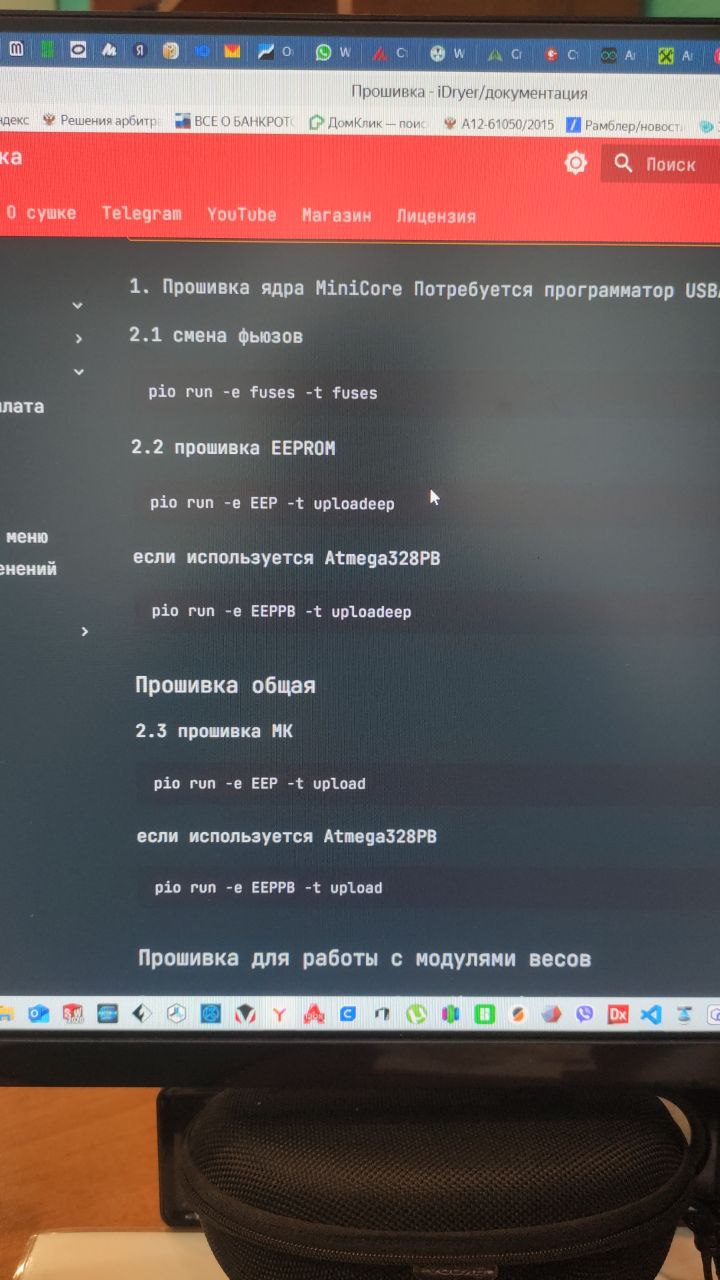
So does that mean I need to run the commands from the site under the heading “EEPROM firmware”?
🇷🇺 Оригинал
Получается что мне нужно выполнять команды с сайта что с названием “прошивка Eeprom”?
Try doing everything again from scratch. Did you disable PID in the config? If it’s with scales, PID won’t fit.
🇷🇺 Оригинал
Заново все попробуй сделать. В конфиге пид отключил? Если с весами, то пид не влезет
I didn’t disable anything  how do I do that? Mine is with scales and everything, but for now I’m just flashing the Arduino itself separately, I haven’t connected the scales yet.
🇷🇺 Оригинал
Ничего не отключал😔 а как это сделать? У меня всё с весами, но я пока отдельно саму ардуину шью, висы не подключал
In the config file. Where the number of scale cells is set, you need to specify their quantity, and set PID to 0.
🇷🇺 Оригинал
В конфиг файле. Где количество ячеек весов, надо указать их количество, а пид поставить 0
I entered those commands, then entered the command pio run -e EEP -t upload again, and it seems like everything went through
Am I understanding correctly that the next part of the instructions on the site, starting from “Firmware for working with scale modules”, is done after installing the Arduino onto the dryer board and connecting all the peripherals (scales, fan, heater, etc.)?
🇷🇺 Оригинал
Ввел эти команды потом заново ввел команду pio run -e EEP -t upload и вроде все прошло
Правильно ли я понимаю, что дальше инструкцию с сайта начиная с “Прошивка для работы с модулями весов” уже выполняется после того как установил Ардуино на плату сушилки и подключил всю перрифирию(весы, кулер, нагреватель и т.д.)?
This option just adds the corresponding menu item (scale), so it doesn’t really matter when you go into it. But for setting up the scales themselves, everything should already be fully assembled. I also recommend checking the pinout of the scale connector right away.
🇷🇺 Оригинал
Эта опция просто добавляет соответствующий пункт меню (scale), по это этому не важно, когда ты в него зайдёшь. Но для настройки самих весов уже все должно быть целиком собрано. Также рекомендую сразу проверить распиновку разъёма весов
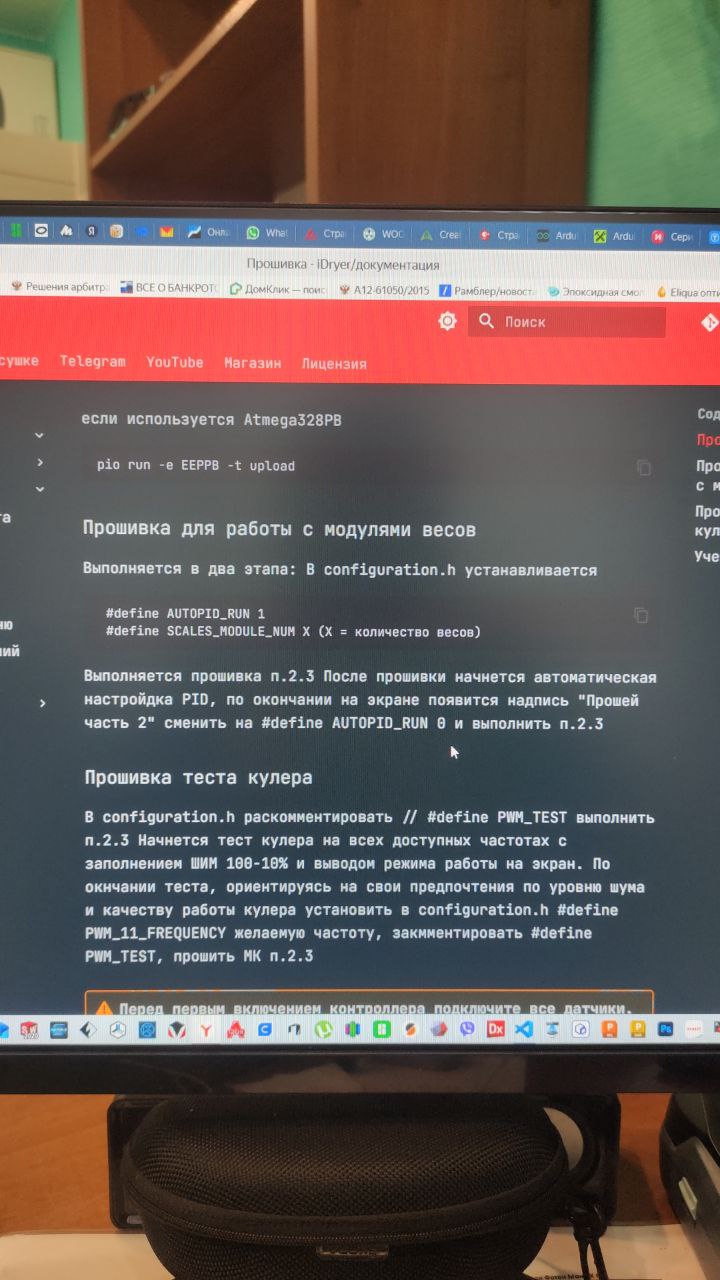
What confuses me is that it says here that PID tuning will start. As I understand it, that’s calibration of the temperature sensor and heater, and they need to be working for the calibration to pass, or for the fan test, it also has to be connected. Or am I thinking about it wrong?
🇷🇺 Оригинал
Меня смущает что тут написанно что начнется настройка PID, на сколько я понимаю это калибровка датчика температуры и нагревателе и они должены работать чтоб калибровка прошла или тест куллера, Оже должен быть подключен. Или я не правильно думаю?
You don’t need to touch PID, it should stay at 0
🇷🇺 Оригинал
Пид не нужно трогать, он должен остаться 0