Hey everyone, good afternoon. I assembled the unit for myself. I’m trying to set it up, but I ran into a problem — when I start PID calibration, the connection to the MCU drops. A quick search through the chat suggested that it might be because the Pi doesn’t have enough power, since the board is also being powered from USB (correct me if I’m wrong). Anyway, the config is: Raspberry Pi 3B+, the printer board is connected over UART via GPIO, and on the Pi itself 2 USB ports are occupied: one for a Logitech C270 camera, and I dedicated the second one to the unit. It’s configured as a second mcu. For what it’s worth, the printer can’t even start properly while the unit is connected. I have to unplug it during startup, and then plug it back in once everything has loaded. I assume it really is a USB power issue, but I couldn’t think of how to solve it without buying a powered USB hub. Any ideas on how to beat this?
🇷🇺 Оригинал
Господа, всем добрый день. Собрал себе юнит. Пытаюсь настроить, но вылезла проблема - при запуске калибровки PID теряется связь с MCU. Беглый поиск по чату подсказал, что дело может быть в том, что пишке не хватает мощности т.к. плата в т.ч. запитана от USB (поправьте, если не прав). В общем конфиг такой: Raspberry Pi 3B+, плата принтера подключена по UART через GPIO, в самой пишке заняты 2 USB: один на камеру логитек C270, второй вот под юнит выделил. Он настроен как второй mcu. К слову, принтер даже стартануть не может нормально, пока юнит подключен. Приходится на время старта отключать его, а как все загрузится - подключать. Полагаю, что все же дело в питании по USB действительно, но как решить эту проблему, не покупая хаб для USB с питанием, не придумал. Есть идеи, как победить?
I also have a 3rd-gen Pi, everything is fine with it.
First, let’s try disconnecting the camera and the servo.
Then just the servo or just the camera.
🇷🇺 Оригинал
У самого 3я пиха, с ней все норм.
Для начала давй пробовать отключить камеру и серву.
Потом только серву или только камеру
Check dmesg for USB errors.
🇷🇺 Оригинал
Посмотри dmesg на ошибки по USB.
I disconnected the servo and the camera — same thing. No startup with the unit connected. When I try to calibrate PID, it starts heating up, the fan in the unit turns on, but after a few seconds the connection to the MCU drops(
Some kind of timeouts (this is already after the disconnect if you look)
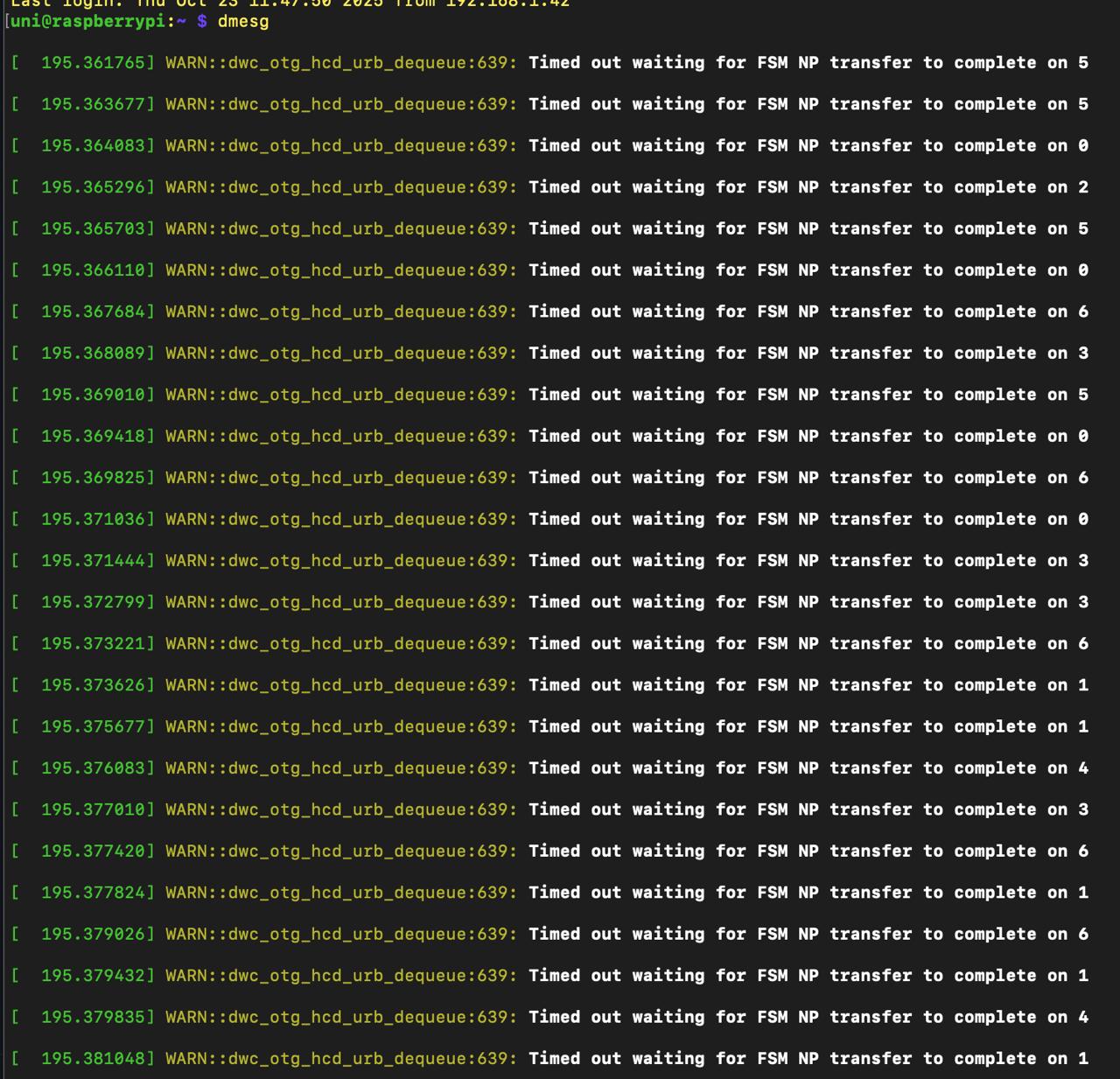
I’ll try a different USB cable now, maybe that’s the issue
🇷🇺 Оригинал
отключил серву и камеру - то же самое. Старта с подключенным юнитом нет. При попытке откалибровать PID начинает греться, вертушка в юните врубается, но через несколько секунд теряется связь с MCU(
Таймауты какие-то (это уже после отвала если смотреть)
Сейчас попробую другой кабель USB, может в нем дело
Higher up in the log? The timeout is already the consequence.
🇷🇺 Оригинал
А выше? Таймаут - уже следствие.
That’s actually the very top of the log
oh, looks like it started working with a different cable
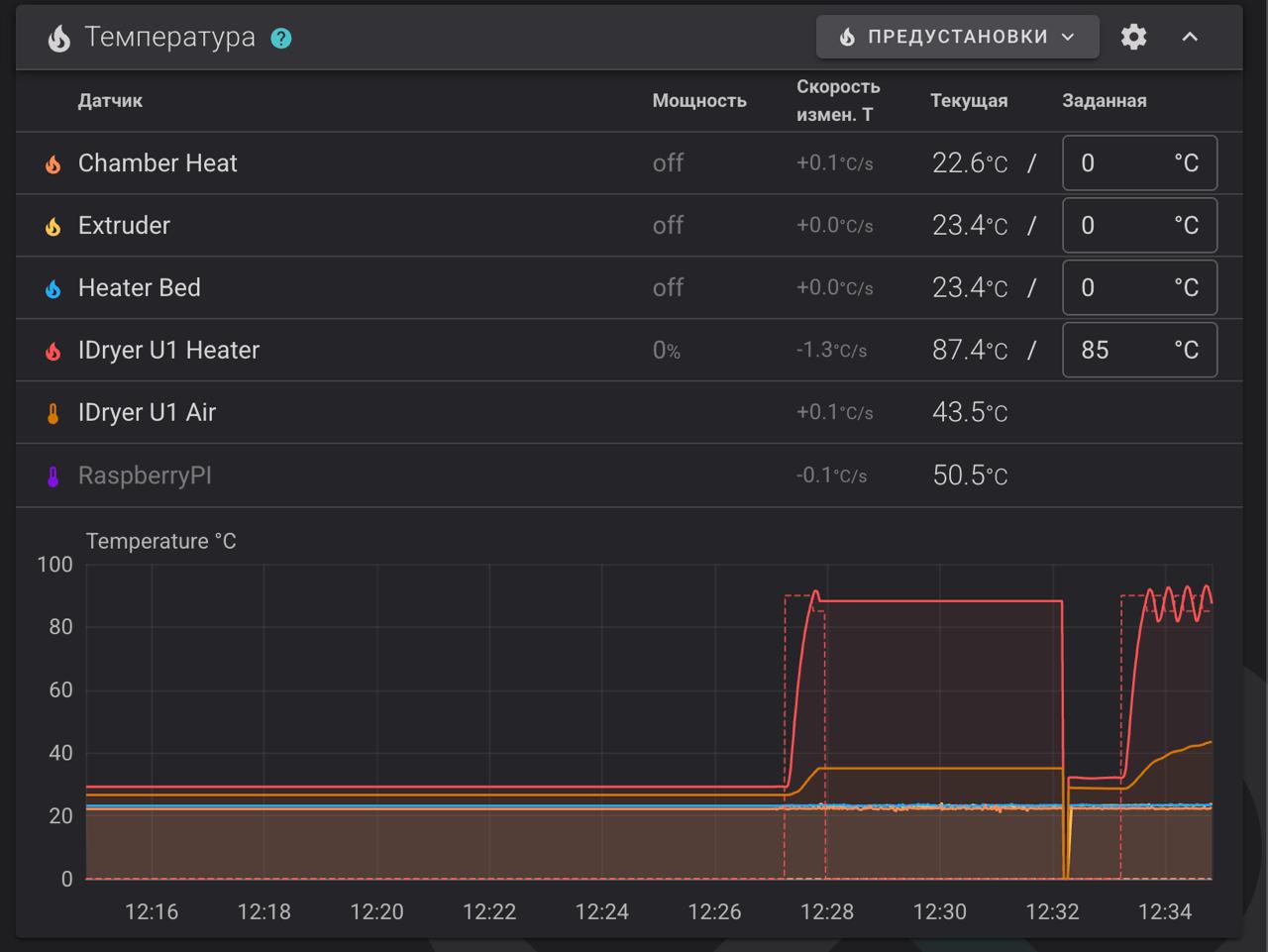
Thanks everyone, looks like I fixed it. At least now it doesn’t disconnect during the process. With the servo and the camera too. Though the system still won’t start with the unit connected. Overall it’s solvable in a pretty hacky way by unplugging the unit’s USB when powering on and plugging it back in after the Pi starts up, then restarting the firmware. But I still plan to convert it to standalone. Right now the goal is to poke around with the device and figure out the settings. By the way, besides the screen for standalone, what else would I need to buy? And is there some kind of guide for flashing and wiring it up in that mode?
🇷🇺 Оригинал
это как раз самый верх лога
о, вроде пошел процесс с другим кабелем
Всем спасибо, вроде победил. По крайней мере теперь не отваливается в процессе. С сервой и камерой. Правда при подключенном юните старта системы все равно нет. В целом костыльно решаемо отключением юсб юнита при включении и подключением после старта пишки с перезапуском прошивки. Но я все равно в стэндэлон планирую переделать ее. Сейчас цель - пощупать устройство и разобраться с настройками. Кстати, помимо экрана для standalone что нужно будет докупать? И есть ли какой-нибудь гайд по прошивке и подключению для такого режима?
That’s not good.
Does it work with the camera and without the servo?
One possibility is that the servo is catching on the корпус and drawing too much current.
🇷🇺 Оригинал
Это не дело.
С Камерой без сервы работает?
Есть вариант что серва цепляется за корпус и ток большой тянет
No, it won’t start even with the servo and camera disconnected
The Pi boots, connects to the network, and then shuts off after that. KlipperScreen doesn’t even have time to load
I’ll tweak the servo a bit just in case, of course. You never know. But I don’t think that’s the issue.
🇷🇺 Оригинал
не, старта нет даже с отключенной сервой и камерой
Пишка загружается, подключается к сети и отрубается после этого. Даже клипперскрин не успевает прогрузиться
Сейчас, конечно, подрегулирую серву на всякий. Мало ли. Но думаю, что дело не в ней
If that’s the case, then yeah, it’s definitely not the servo.
You do have the Catapult installed, right?
🇷🇺 Оригинал
Если так, то конечно не в серве.
Катапульт стоит же?
Yes. I installed everything according to the manual on the website.
🇷🇺 Оригинал
Стоит. Все ставил по мануалу с сайта
Physically disconnect all sensors, and disable them in the config too.
Let it start without them.
🇷🇺 Оригинал
Отключи физически все датчики и в конфиге тоже.
Пусть без них стартанет.
The thermistor and the one that measures humidity and temperature in the chamber too?
🇷🇺 Оригинал
Термистор и тот, что влажность и температуру в камере меряет?
Yes. Let’s just rule out bad peripherals.
Then flash the standalone firmware and check in PuTTY whether it sends anything at all.
It gives pretty detailed output during startup.
Just flash it and check, without any screens or encoders.
🇷🇺 Оригинал
Да. Просто исключим вариант кривой периферии.
А потом залей standalone прошивку и посмотри в putty, оно вообще что-то шлёт?
Там выхлоп подробный при старте.
Просто прошить и посмотреть, без всяких экранов и энкодеров